Room study / Flight

Flight at Close Quarters

The cockpit begins where your hands and feet meet the aircraft. Give those relationships a clear purpose before adding more panels or a wider horizon.

Choose the kind of flying first

A room for relaxed visual touring needs a different balance from one built around instrument procedures or airliner flows. Write down a representative session: the aircraft, the expected duration, the controls you touch repeatedly and whether another person will observe or share the seat. This exercise reveals more than a wish list of switches.

Microsoft Flight Simulator and X-Plane support substantial home setups, but compatibility depends on the particular software version, aircraft and hardware interface. A panel recognised by the operating system may still need a plugin or an aircraft-specific profile. Home simulation should not be presented as approved flight training unless the actual device, operation and jurisdiction meet the relevant requirements. Enjoyment and structured practice are worthwhile without implying certification.

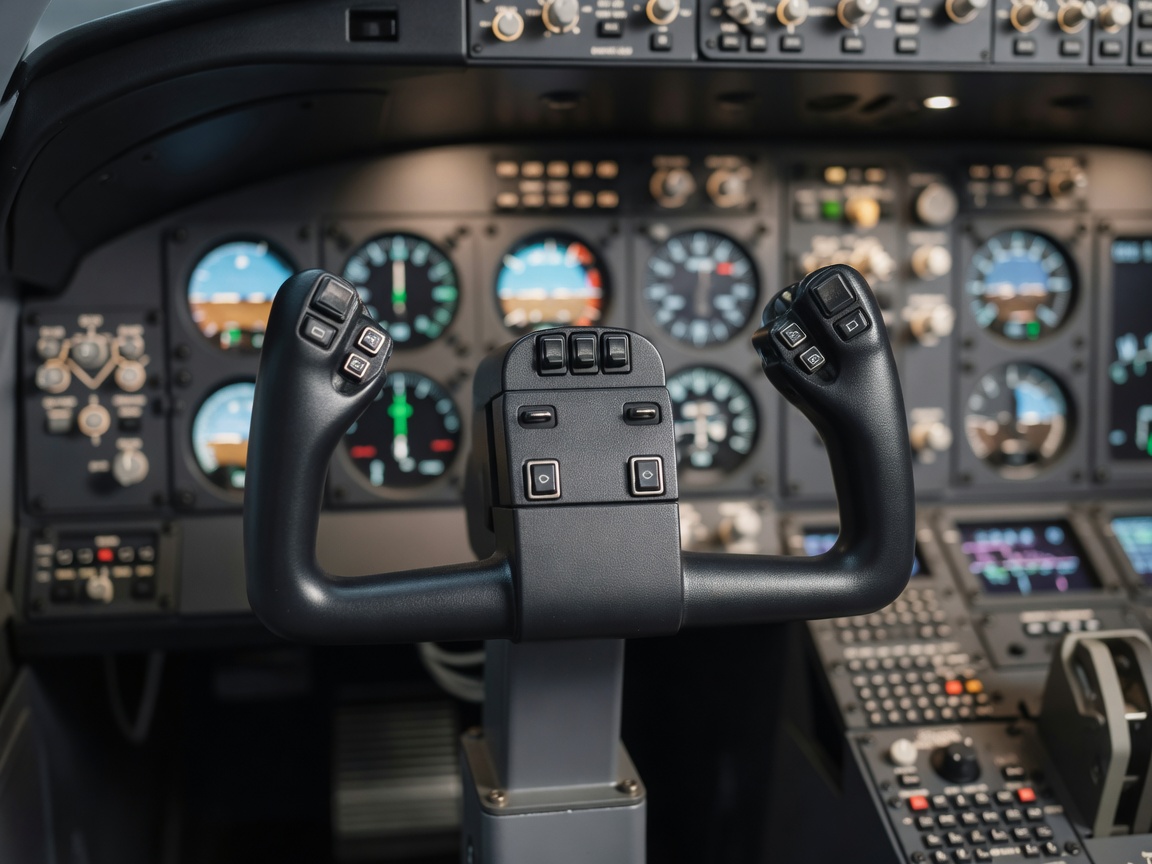
Flight yoke with trim switches in front of a simulator instrument panel
Choose controls for the actions you intend to repeat, not simply for visual density.

Establish a stable seated reference

Set the seat, rudder pedals and primary control together. The user should be able to apply the required pedal travel without sliding the seat or stretching through the knee. A desk chair on castors may move during braking; a secure seat or appropriate restraint of the chair’s movement is often more useful than another display.

Check yoke travel, stick clearance and throttle reach through their full operating range. A centre stick, side stick and desk-mounted yoke occupy different spaces around the body. Test entry and exit with the controls installed, including access for users with different mobility needs. Provide deliberate adjustment points, and mark repeatable settings when several people share the cockpit.

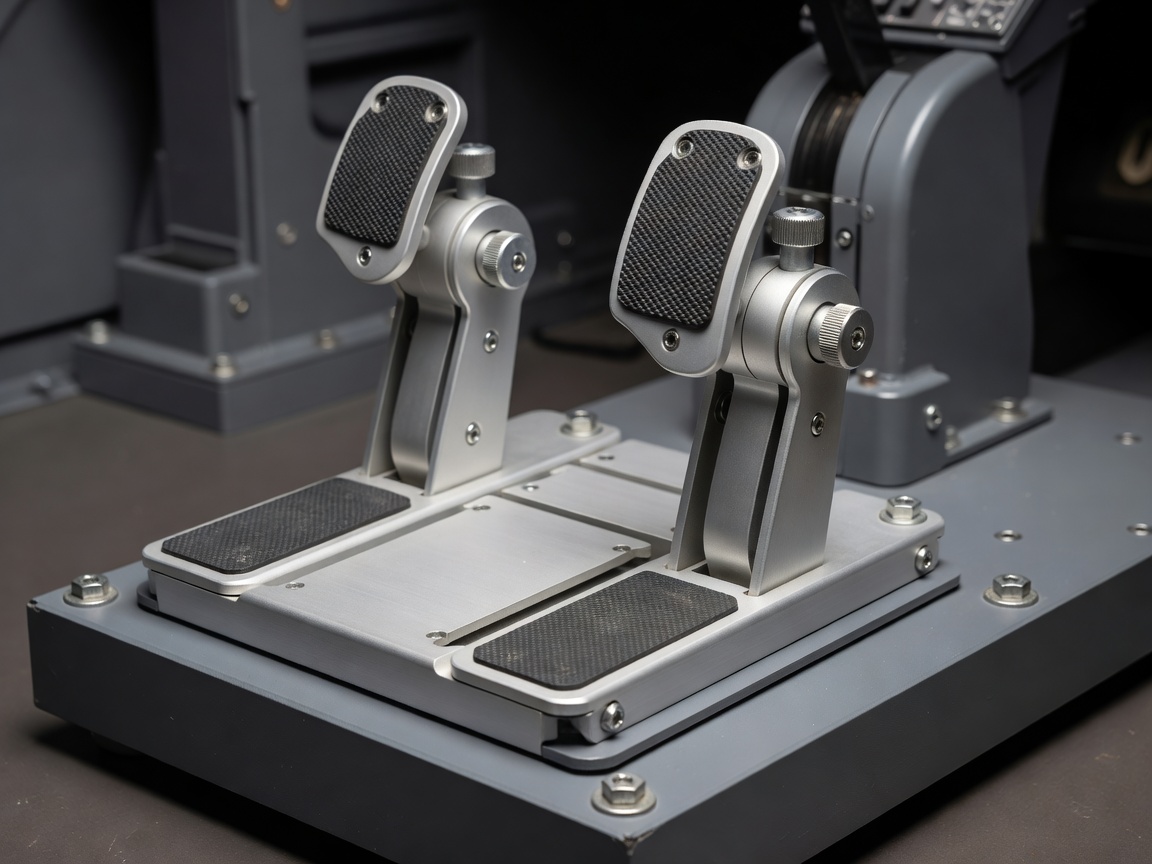
Adjustable flight simulator rudder pedals mounted to a rigid floor platform
Pedal travel and seat support should be tested as a single system.
Equipment-to-room dependency

Choose how you will see

A single display, multiple monitors, projection and virtual reality each make a different demand on the room. Wider coverage can improve orientation, but poorly aligned perspectives may distort the view or make cockpit references difficult to judge.

With virtual reality, confirm that frequently used controls can be found without seeing your hands. With physical instruments, check that display bezels and reflections do not obscure important information. Head-tracking devices such as TrackIR also depend on their own camera position and operating conditions; test them with the room’s real daylight and evening lighting.

Make the instrument scan legible

Place the most frequently referenced instruments where the intended scan can happen comfortably. A convincing panel does not require every item to be full-size, but it does require text and indications to remain readable from the actual eye position. Test the smallest labels rather than judging the arrangement from a standing photograph.

Hardware from Honeycomb Aeronautical, Thrustmaster or Logitech may suit different control layouts, but mounting details, driver support and software mapping must be checked for the exact product. Decide which commands deserve tactile controls and which can remain on a keyboard or touch panel. Too many duplicate inputs can produce confusion when a physical switch position disagrees with the simulated aircraft.

Give the computer room to breathe

Visual fidelity, display count and virtual-reality refresh requirements shape the computing specification. Benchmark the intended aircraft, scenery and display configuration before selecting an enclosure or concealing the computer. Stable frame delivery can matter more to comfort than a single impressive average performance figure.

Leave access to cooling filters, graphics connections and power controls. An enclosed cabinet without a considered air path can turn a quiet machine into a hot, noisy one. Plan USB connections with device requirements in mind: not every hub, extension or port supplies the same power or behaves reliably with every peripheral. Label cables at both ends and leave service loops that cannot snag moving controls.

Design the transition back to the home

A flight session can last long enough for room comfort to become part of the experience. Provide controllable light for setup and reading, then a separate setting that avoids reflections during use. Do not rely on a darkened cockpit as the only way to conceal a poor display arrangement. Ventilation should remain effective with the door closed and the computer under sustained load.

Audio can be delivered through speakers, a headset or both. Consider speech intelligibility, household disturbance and the ability to hear an interruption when necessary. A clear route out of the seat, accessible shutdown controls and an unobstructed doorway are more valuable than squeezing in one last side console. Keep drinks and loose objects away from electronics and pedal travel.

Save a working baseline

Commission the room with one known aircraft and a documented control profile. Record bindings, display settings, calibration steps and the software versions that work together. Back up configuration files where supported, then change one element at a time. A cockpit becomes useful through repeatability: the user should be able to begin a session without rediscovering the technical arrangement each evening.

Flight deck choices and their consequences
InterfaceRoom dependencyPractical check
Yoke or stickMounting position and full travelSeated reach and clear entry route
Rudder pedalsSeat stability and floor supportFull travel without sliding
Multiple displaysEye position, supports, graphics outputsPerspective and instrument legibility
Virtual realityTracking, comfort, blind control accessRepresentative session in intended lighting

Define your normal flight

A clear account of the session makes the right hardware easier to recognise.